



Connect your game to Playmos.
Try it first
Test your game inside its real host#
You need Your game’s playable URL or uploaded build and the expected Hub origin.
- Load it in the Hub iframe and complete a run.
- Check controls, resize, pause, teardown and origin-bound messages.
- If adding trophies, issue a casual milestone once and check the account trophy case.
Check your result The embedded game plays cleanly; repeating a milestone does not create another award.
Keep the storefront, game runtime and payment service connected through explicit contracts.
Three services. Clear responsibilities.#
| Surface | Responsibility |
|---|---|
| Playmos storefront / publishing API | Sessions, studio roles, catalog, releases, review and player reports. Managed PostgreSQL in hosted mode; SQLite for local development. |
| SDK service | Payment and contest primitives, chain verification, signed events and receipt records. Separate API and MongoDB store. |
| Your game backend | Verified admission, score validation, fulfillment and game-specific history. |
The iframe stage#
The stage launches configured first-party clients and active reviewed managed ZIP releases for free play. It does not transfer the storefront login into the game or issue paid entry tokens. Local first-party games can report lifecycle and SDK commerce through the consent-based Hub analytics bridge. The first-party game kit owns its own UI and SDK provider inside that frame.
A production bridge needs a versioned message contract, exact origin checks, scoped launch/session tokens and server-verified admission. Never forward a secret key or accept money facts from postMessage.
Inspect your development build#
In Simulator, connect a separate-origin development URL. Add the development adapter at real game lifecycle boundaries, watch Integration signals, and toggle Show Playmos overlays to compare the surrounding experience. Choose Phone (390 × 844), Desktop (1280 × 720) or Responsive. Drag through widths, enter dimensions or rotate without reconnecting. Use Fit to fit the stage into your workspace. Expand the adapter example beneath the event stream for setup instructions.
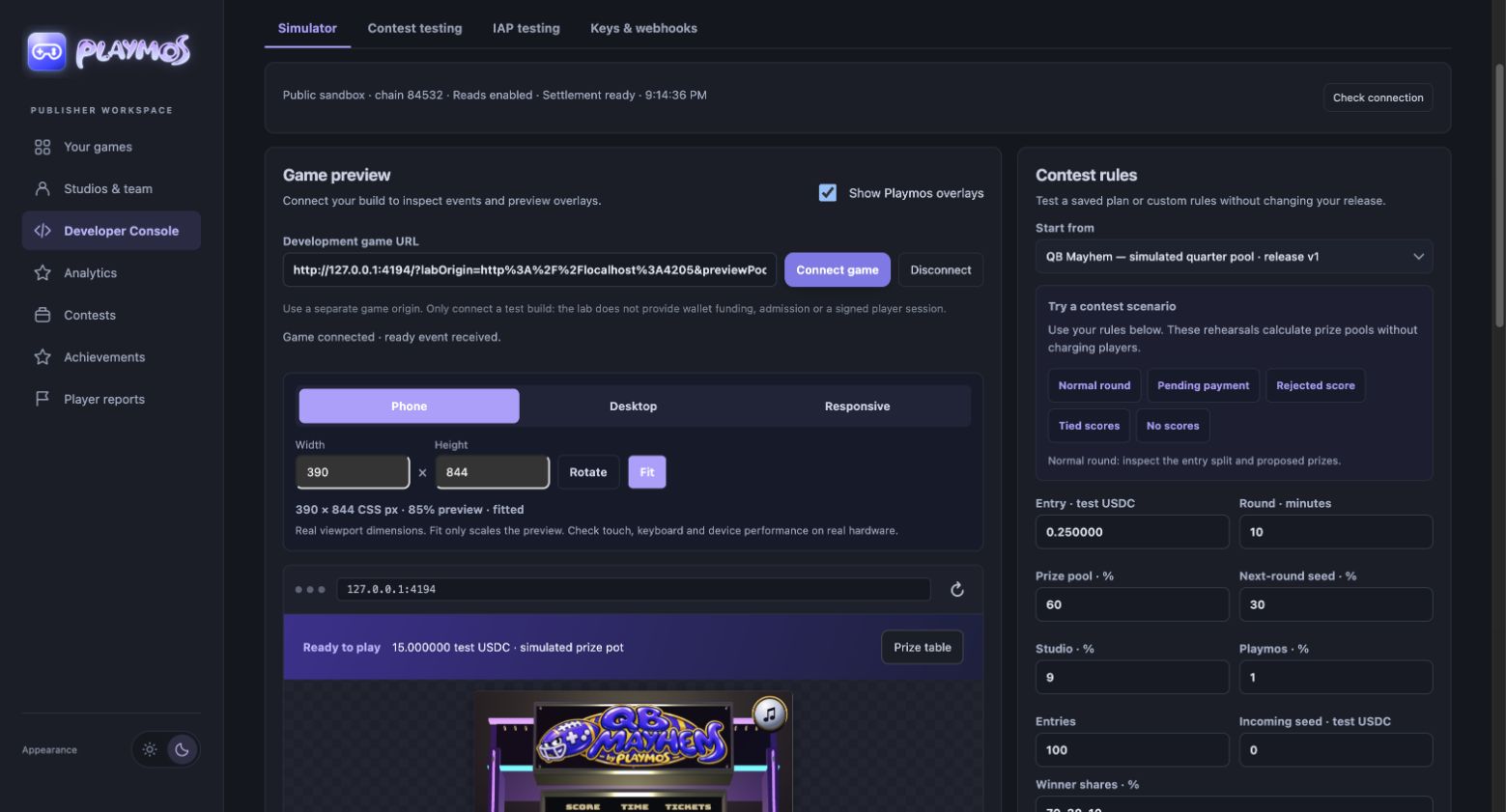
Ready latency measures the frame connection. Checkout and purchase hooks are observed browser reports; they cannot prove paid admission or settlement.
Publishing readiness#
For a complete public free game, save the listing and standard preview artwork, upload the browser ZIP, test/submit the declaration and obtain independent exact-build review. An authorized publisher then activates it and keeps the publication receipt. Free/practice is the payment mode, not a QA-only build. Follow Host and publish your game for permanent game/play/share links, updates, restore, withdrawal and one-hour session recovery. A saved or approved declaration alone is not a public listing. SDK commerce and trusted score verification remain separate requirements for paid features.
Open your publisher workspaceWhat your console should measure#
| Metric | Source / readiness |
|---|---|
| Release and review status | Publisher API — available for drafts today. |
| Saved payment records and light bookkeeping | Publisher Financials retains SDK receipts, notes and exact fee/net totals. Background collection and accountant exports are implemented in source; hosted rollout is pending. Current connection is testnet-only. |
| Received studio revenue and payouts | Actual payout/withdrawal reconciliation is not collected in Financials yet. |
| Round/epoch settlement and overdue age | SDK and game backend — aggregate per studio/game. |
| Views → game ready → practice → entry | Storefront + authenticated iframe events — collection needed. |
| Rejected scores and validation reasons | Trusted game backend; no browser-authoritative scores. |
| Webhook attempts and verification errors | SDK records; detailed delivery telemetry still needs instrumentation. |
Filter by game, release, time range and test/live environment. Every monetary chart needs a verification source and freshness timestamp; unavailable data must not render as zero.
For complete public free-game ZIP upload, exact-build approval, permanent links, update/restore/withdrawal, MCP handoffs and score-server configuration, use Host and publish your game.
Trophies across games and the Hub#
Signed-in players earn a participation trophy after finishing a round of Base Munch, Base Jump or Base Stack. Finishing all three earns Arcade explorer; saving a first favorite earns Found a favorite. The award appears beside the game and stays in My account → Trophy case and the player profile. Public sharing follows the player’s profile visibility setting.
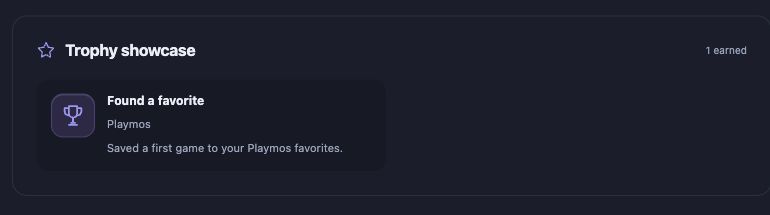
The kit reports a real round start and completion to an exact-origin Hub parent. Leaving a scene does not complete a round. The Hub binds completion to the current account and game session and stores each award once. Studio-defined score or rank trophies still require a trusted backend validation path.
Use the same unlock experience on your own site
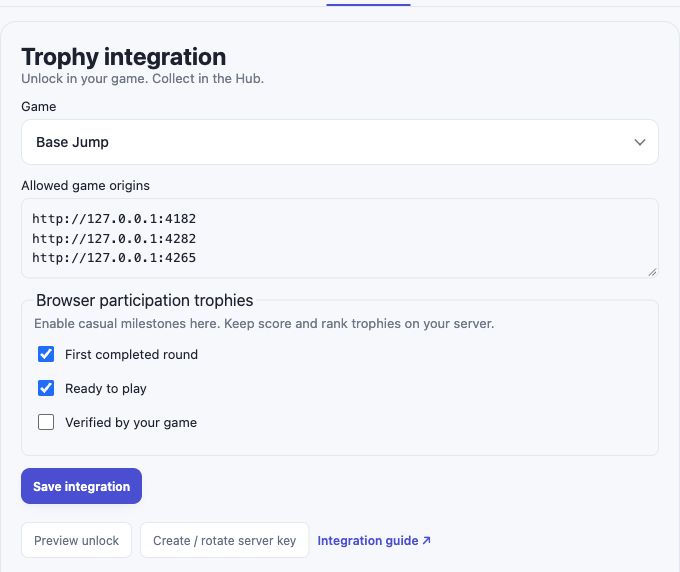
Available in SDK 0.3.26 and later. Install the published SDK and configure the matching Hub trophy connection. In Developer Console → Trophies, choose your game or draft, add its exact HTTPS origin (loopback is allowed for local testing), and enable only casual participation trophies. Create trophy definitions in Achievements first.
import { createTrophies } from '@playmos/sdk';

const trophies = createTrophies({ gameId: 'YOUR_PORTAL_GAME_ID' });
connectButton.onclick = () => trophies.connect();
// Only after the actual tutorial has finished:
await trophies.unlock('tutorial-done');
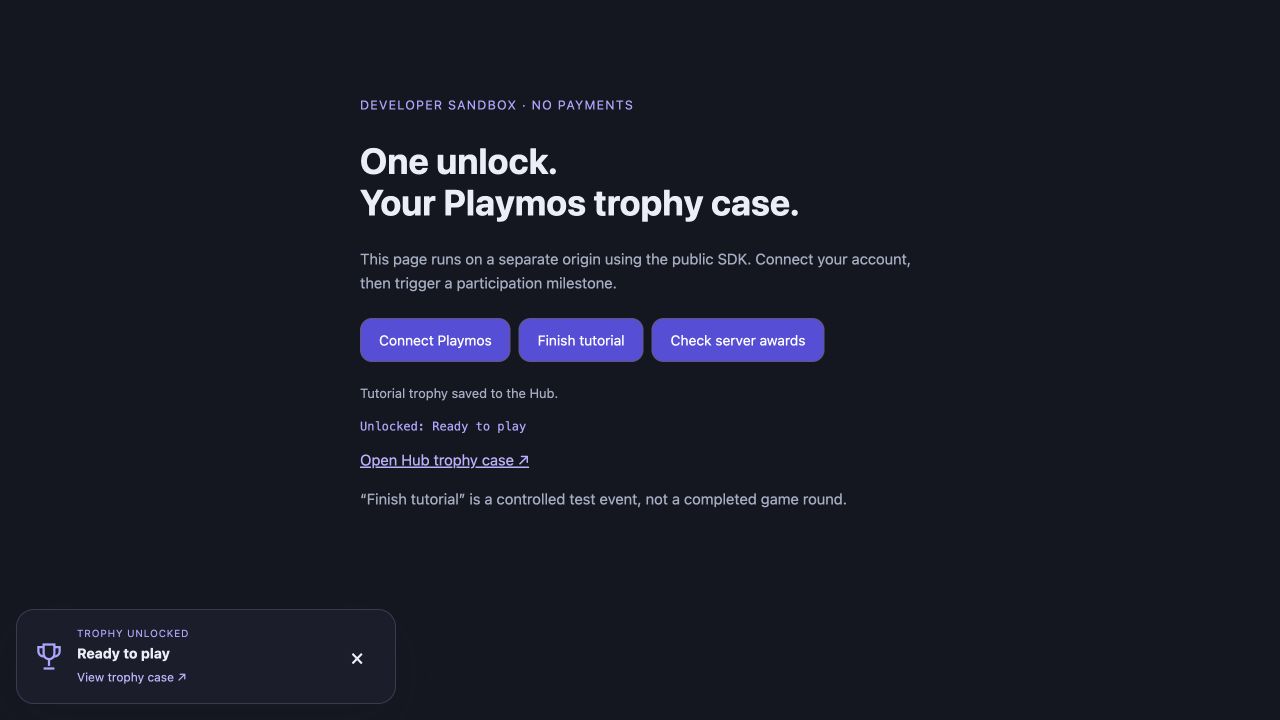
The player approves a one-hour connection to their Playmos account. Popups are the default; set connectionMode: 'redirect' for mobile browsers or hosts that restrict popups. A saved award shows a Playmos unlock notice and links to the Hub trophy case. Repeated events return no new award. Existing trophies are loaded silently on connection.
Keep score and rank awards on your backend
Leave competitive trophies unchecked in the browser participation list. Create a game-scoped server key in Developer Console → Trophies, store it only on your backend, and validate your game result before issuing an award. Rotating the key disables the previous key.
import { createTrophyIssuer } from '@playmos/sdk/server';
const issuerKey = process.env.PLAYMOS_TROPHY_ISSUER_KEY;
if (!issuerKey) throw new Error('Set PLAYMOS_TROPHY_ISSUER_KEY on your backend');
const issuer = createTrophyIssuer({
  gameId: 'YOUR_PORTAL_GAME_ID', apiKey: issuerKey
});
// Your server validates gameplay first. The browser supplies await trophies.playerProof().
await issuer.award({ playerProof: request.body.playmosPlayerProof, key: 'score-master' });
The server key authorizes the developer’s decision; Playmos does not independently verify the game score. Connected games check for new server awards every 30 seconds, or immediately with trophies.refresh(). onUnlock receives new awards for your own UI or consent-aware analytics; no telemetry is enabled by connecting trophies. Use disconnect() to revoke a connection and destroy() when removing the game. Profile visibility remains the player’s choice.
If it did not work#
Embedding headers or wrong origins can block the game. Keep score-based awards on a trusted backend.
Try one variation Reload the iframe after a completed casual milestone. The saved trophy should remain a single award.
Continue with the next guide →