



Make the game. Playmos provides the shared platform.
Try it first
Build a small complete playable loop#
You need A Studio project and access to the current creation guide.
- Define one action, a clear goal, failure and replay.
- Save a version and test it through its actual shared-preview link.
- Inspect exact-build service readiness before adding saves, results or commerce.
Check your result A player can start, finish and replay; unavailable services leave an honest practice experience.
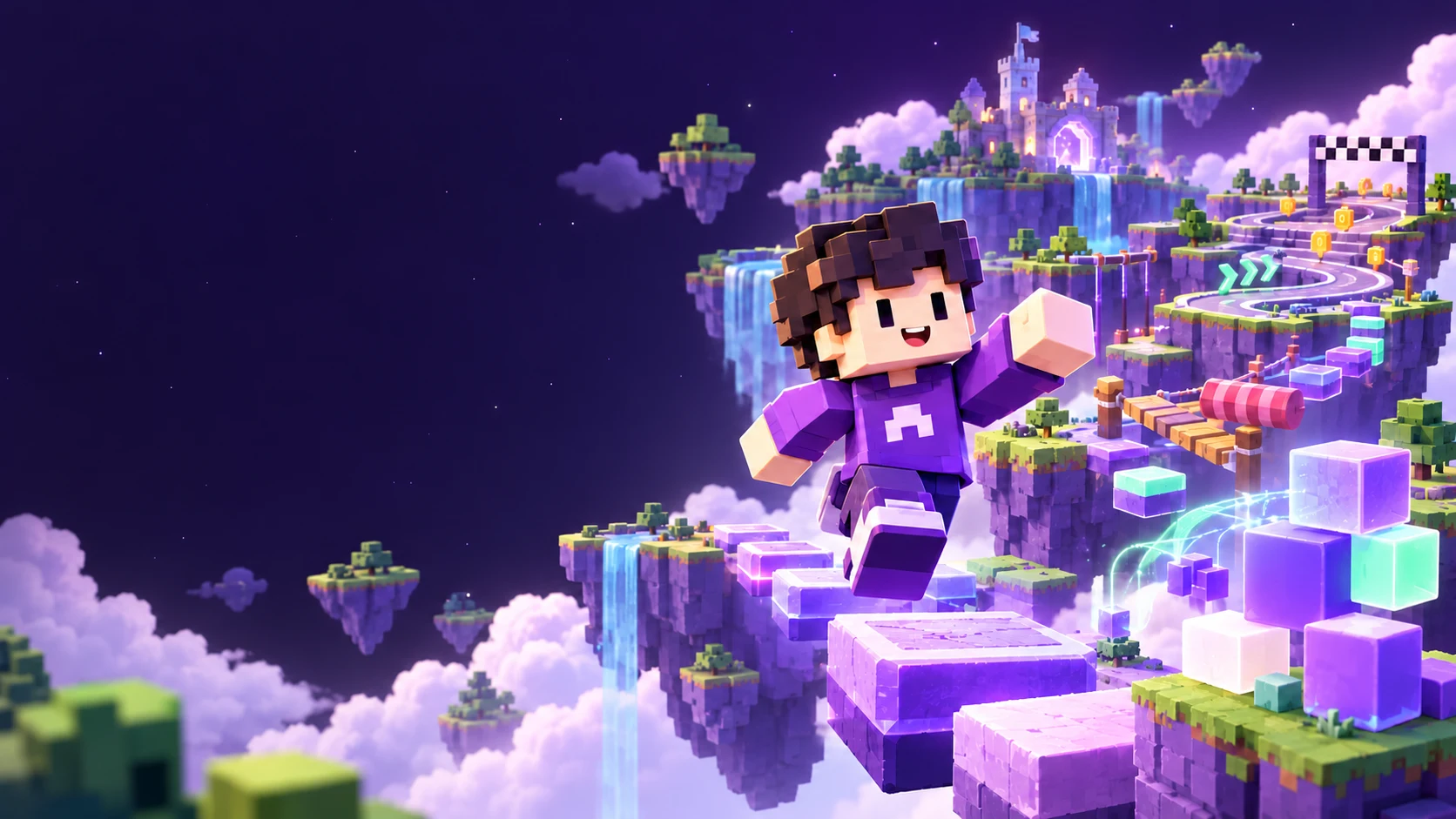
Create for the couch and the hand#
Start with an idea, or ask your agent for three distinct concepts. In MCP, read playmos_get_creation_guide with section=start, then load focused device, craft and service sections as needed. Your connected agent supplies the creative intelligence; Playmos supplies authored guidance and tools.
Default to a separately composed far-seat TV presentation and a handheld phone layout. Use large, adjustable critical text, visible directional focus and safe screen margins on TV; use separated 48 CSS pixel touch targets, safe areas and unobstructed play on phone. Test manual start, meaningful decisions, fair failure, pause, results and voluntary replay. Camera, motion and audio should reinforce the signature action. Measure the actual target device; a large browser viewport cannot prove couch readability or phone comfort.
Before handoff, call playmos_get_quality_checklist with the current build version. It asks for evidence and never marks a game passed, fun or approved. Inspect current service readiness and use only the APIs returned by this environment; a source guide does not upgrade the pinned runtime. The portable source is the SDK’s games/agent/CREATION-GUIDE.md and versioned creation playbook.
Guidance for the game you are making#
Studio gives your agent the SDK’s shared service playbook plus relevant genre guidance. Racing, platformers, sports, party games, action, persistent worlds and puzzles can combine modules; a new genre does not need to fit a starter template. The service layer covers identity, saves, owned items, progression, rooms, verified results, recovery and registered stablecoin checkout.
Prefer the Playmos Games engine for a new compatible browser game, or keep your chosen engine. Keep simulation, service integration and rendering separate. Engine-neutral guidance does not mean every engine adapter or hosted provider is available: browser JavaScript is implemented, and a dedicated Unity Games adapter is planned. Your agent reads actual readiness before enabling a feature. The operational guidance remains available with design coaching turned off.
Soundtracks that travel with your game#
Give your agent the audio files. It uploads MP3 tracks through Studio, which checks their hashes and packages the verified audio into the exact game build. The soundtrack works in Studio, shared previews and exports without a local-file picker or an external music host. Start audio on a player interaction and keep volume, mute and track selection in Options.
The upload tool is playmos_upload_audio_part. It accepts 256 KiB chunks, up to 8 MiB per track and 48 MiB across 64 tracks per session. Use the returned playmos-audio:SHA256 reference in an HTML or JavaScript string before pushing the demo. Missing or incomplete tracks block that build; retries with identical bytes are safe. HTML authoring stays within 512 KB, while the frozen artifact includes its audio bytes.
Test the real share link#
Open the Hub’s shared-preview link to test keyboard, touch, audio and your Mo together. Sign in there to use your own saved garage and the services configured for that exact build. Guests can practice. Preview expiry or revocation retires service access too; a link never grants access to another player’s data.
A working preview is not proof of activated race servers. Check service readiness and perform a server-admitted race and restart test before launch. Shared previews cannot purchase items or enter paid competitions.
Make a new game without rebuilding everything around it. Playmos Games combines reusable game foundations, portable player identity and platform services with an agent-driven development workflow.
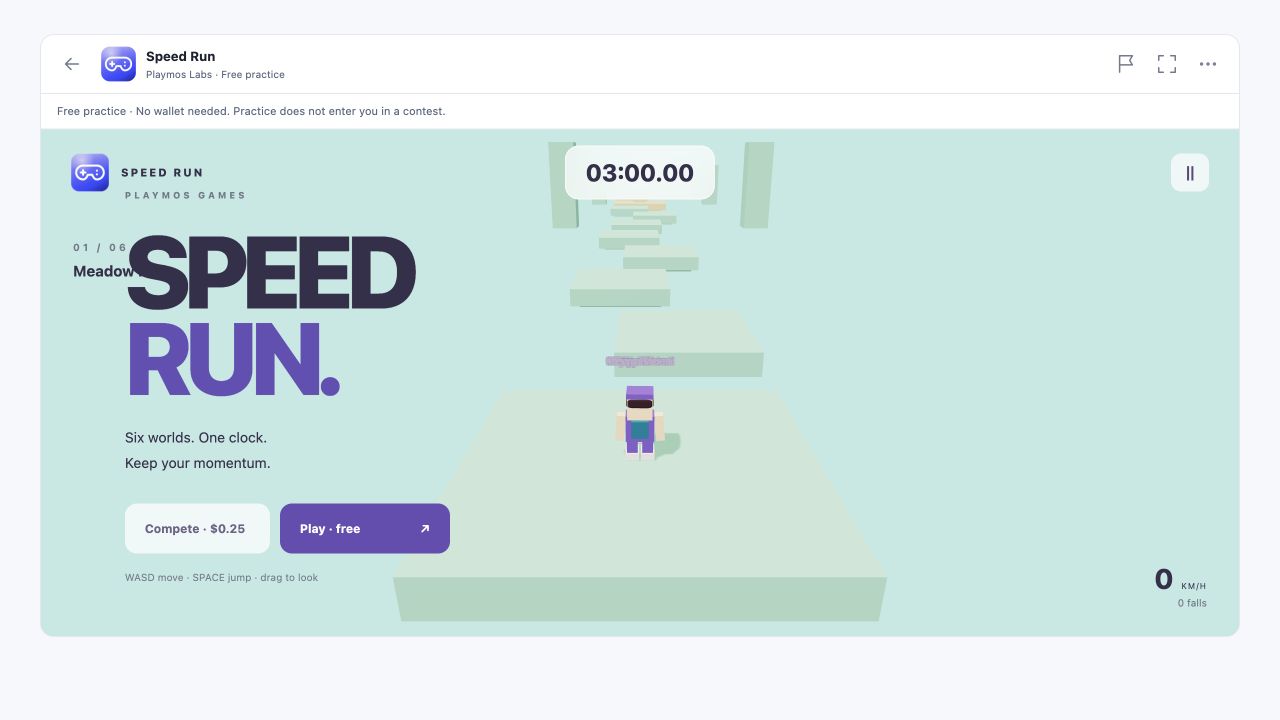
You own what makes the game yours: its rules, world, art, camera and feel. The shared platform gives compatible games a familiar player experience and gives your agent a project it can understand, change and test. Skyline Trials and Speed Run are our first reference games built on those shared pieces.
The Hub is the default game platform#
Build and host inside Playmos. AI Studio is the authoring workspace; Playmos Games supplies the shared runtime; the Hub owns account identity and managed service authority. Your game provides the rules, world, art and feel. Our internal games use the same interfaces intended for third-party studios.
The SDK’s managed-results implementation binds a run to the signed-in player and exact frozen build, sends ordered inputs and receives the server-computed result. Non-preview runs can save a personal best, supply top-ten compatible recordings and award the server-authorized first-finish achievement. Named NPCs fill empty rival slots; they never enter the score ledger. Preview runs do not enter public bests or award achievements. Unsupported simulations need an approved server adapter; the Hub does not execute arbitrary uploaded server code.
Server replay checks supported rules, ordered inputs and timing. It does not prove human play, grant paid admission or finalize paid competition. Display a saved result only after receiving its server receipt; unavailable services leave local play without a verified-score claim.
One platform, many different games#
| Layer | What it gives you | What you decide |
|---|---|---|
| AI Studio · MCP authoring | A game brief, SDK-aware agent guidance, versioned playable builds, preview feedback and an explicit release workflow. | The idea, creative direction and which changes to keep. |
| Games runtime · reusable foundations | Validated configuration, a fixed-step clock, run lifecycle, local progress, avatar rendering and animation. | Rules, scoring, stages, movement, camera, presentation and assets. |
| Player identity · Mo | A common avatar profile and look across compatible games, with an account wardrobe. | How to present that avatar in your game without changing its account-owned appearance. |
| Platform services · selected capabilities | Hub-hosted account services and SDK interfaces for run validation, rewards, input, analytics, commerce and Live. | Which capabilities suit the game; its simulation and approved service configuration. |
This is a shared foundation, not a requirement to make every game a parkour course. A puzzle game can use the run lifecycle and progress model without movement or gamepad input. A runner can add Mo rendering, named practice rivals and optional controller support. An existing game can adopt individual SDK capabilities without replacing its engine. “Publish Today!” invites you into the workflow; it does not waive review or guarantee turnaround.
The player carries their Mo#
A player’s Mo belongs to their account. They dress it in My Mo!, then compatible games read the profile through the SDK and render the same recognizable character. Hair, beard, headwear, accessories, shirt, pants, backpack and shoes travel as equipped appearance. The shared rig and animations save each game from rebuilding that character system.
The profile also carries collectibles and namespaced portable attributes. The account server owns those records; a game explicitly chooses which attributes it understands. They are not automatic cross-game powers. Our reference games currently consume appearance. Dressing stays in the wardrobe, and cosmetics remain separate from collision and competitive scoring. See Mo portable avatars for the profile and integration details.
Smooth real-time play, shared across games#
The game owns its simulation, camera and look. Playmos Games owns reusable clocks, avatar rigs, lifecycle and static mesh batching. Playmos Live owns prediction, rollback reconciliation, remote interpolation and a buffered server clock. Private services own authenticated rooms, frozen loadouts and confirmed results.
| Need | Shared API | How to use it |
|---|---|---|
| Immediate local control | Live connection.state and onReconcile | Use connection.createPresentation with a state-to-pose adapter. The SDK owns elapsed-time prediction, fixed-tick interpolation and correction continuity. Include finite body/steering animation channels in the pose adapter, so the whole actor shares one timeline. Never swap raw snapshots into the local car. |
| Hide ordinary rollback corrections | createReconciliationSmoother | Decay only visual correction offsets; normal movement stays immediate. Snap explicit resets and large teleports. |
| Smooth other players | createSnapshotInterpolator + createInterpolationClock | Buffer server-timestamped poses on one clock. Gravel Riot uses 100 ms; stop extrapolation when updates stop. |
| Reduce scene cost | batchStaticMeshes from @playmos/games/rendering | Batch static direct meshes by opaque material before attaching animated avatars. Keep moving wheel groups separate. |
| A lively title screen | createAttractDirector | Sequence visual camera cuts and pans, weather and actors; no race inputs or progression. Respect reduced-motion preferences. |
| Keep a career | createOwnedGameServices + createGarage | Hub chooses identity; revisioned owned saves and idempotent confirmed results persist progression. |
Prediction and smoothing affect presentation, never score authority. The server validates bounded inputs against the exact build and rules, rolls back within its configured window and records confirmed results. Browser scores cannot grant cars, MO equipment, XP, paid entry or money. MO collectibles are equipped in My Mo!; registered USDC offers still require trusted checkout approval.
Local tests include simulated 100 ms input delay, jitter, lost redundant batches, old snapshots, invalid controls and player spoofing, with exact replay of accepted inputs. This is technical evidence, not hosted capacity or phone acceptance. A source build reached 60 FPS on one LAN browser; measure each target device and a hosted multiplayer session before release.
From an idea to a playable game#
- Describe the game in Agent Studio. Open Workspace → Agent Studio, give the agent a brief and connect it to that game session. Keep creative decisions in your conversation with the agent.
- Let the agent discover the platform. It reads the brief and calls
playmos_get_games_frameworkfor the runtime, starter source, configuration schema, available capabilities and developer guides. There is no separate Games CLI. - Build the game-specific parts. The agent edits configuration, rules, scene and assets, reuses appropriate runtime modules and tests a complete playable loop. It chooses input methods for the game; gamepad support is optional.
- Play a version and give feedback. The agent returns a versioned demo. You can compare builds, share a practice preview and ask for changes. The pinned engine is frozen into the saved build, so later engine updates do not silently change it.
- Release the version you choose. Export a self-contained browser build, or follow the publisher’s hosting and review workflow. A preview is not a published game; approval and service activation remain explicit.
A project your agent can work with#
| Part | Responsibility |
|---|---|
| game.config.json | Identity, timing, stages, movement settings and capability declarations. |
| sim.mjs | Game rules, state transitions and input-driven simulation. |
| game.mjs | Rendering, camera, UI events and connections to the selected platform adapters. |
| style.css and assets | The visual identity of this game. |
| Shared SDK modules | Run lifecycle, clocks, progress, Mo rendering and optional integrations. |
For example, a new Speed Run world can change stage colors, platform placement and movement settings while keeping the same avatar renderer and lifecycle. A different genre replaces its simulation and scene rather than inheriting the runner’s rules. Keep account authority in service adapters and visual engine objects out of deterministic simulation.
Choose capabilities, rather than a checklist#
| Capability | Use it when | Current integration |
|---|---|---|
| Mo | Players should bring their account avatar. | Shared renderer and read-only SDK profile; automatic signed-in identity through the Hub bridge. |
| Controls | Your game benefits from a gamepad or phone controller. | Optional @playmos/controller adapter. Keyboard-only, touch-first and pointer-driven games are valid. |
| Analytics | You need consented run and gameplay metrics. | Shared lifecycle and Hub adapter; external hosting needs a consented telemetry transport. |
| Progress and rewards | You want milestones or account achievements. | Local progress is implemented. The managed-results candidate awards its first-finish achievement on the server; other trophies and collectible grants require authorized integration. |
| Rivals and Live | Your design benefits from other players or practice rivals. | Named NPC population is reusable. The managed-results candidate supplies compatible top-scorer recordings. Real-time Live sessions require separate integration. |
| Competition | Scores determine registered leaderboard or paid results. | Requires registered admission and trusted server verification. Local scores or a config flag do not enable it. |
When you select gamepad support, use the Playmos controller SDK for consistent mapping and source ownership. Test input release and cleanup for enabled devices, and distinguish automated checks from physical device tests. See Phone & gamepad controllers, Analytics and Playmos Live for the individual service contracts.
Self-host an interface when you need one#
Managed Hub hosting is the default. Independent hosting can supply an interface shim through the SDK’s transport seam, using standard HTTPS and JSON rather than a new platform protocol. The managed-results candidate exposes its versioned contract at /api/games/v1/openapi.json; createGameResultsHttpTransport connects a player-authenticated interface. The shim must preserve account and exact-build binding, server-owned scores, consent, idempotency and grant verification. External account login remains a separate integration; this seam does not distribute private managed Live infrastructure.
Stablecoins and smart contracts move the money#
IAP, paid entries and payouts use the existing Playmos stablecoin and smart-contract integrations. Run databases store gameplay and evidence, not a second money ledger. Verify the expected payment on the backend and grant once; preserve purchase identity while a payment is pending or unknown. Importing the runtime does not activate IAP or paid competition. The two reference games remain free practice. See Payments and verification and Skill contests.
Couch games, hosted by Playmos#
Make a game for the room. Two to six players scan the TV, enter a name and join without creating an account. The first phone becomes host and can start the show, advance rounds and replay. The game keeps its own world and presentation; Playmos owns the room, private seat views, controller interface and supported server rules.
| Your agent provides | Playmos handles |
|---|---|
| A private declarative question pack and game HTML | Version-bound configuration and encrypted durable room state |
| Question/reveal presentation, audio and MOs | Guest phone entry, first-phone host controls and mobile choice/order controllers |
| Ruleset selection and cosmetic design | Server scoring, Hot Seat eligibility, deadlines and stale-action rejection |
| An approved frozen build | Rules-hash pinning, bounded operational diagnostics and expiry |
In MCP Studio, the agent pushes the game HTML and calls playmos_configure_party for that exact version. The tool stores questions and answers privately; do not put the question pack in managed client HTML. Studio refreshes the preview when configuration is ready. The agent can read playmos_get_party_diagnostics for actual room, join, answer-lock and phase events. You do not need a room server, database project, deployment script or CLI.
// Available in the trusted Studio runtime. A reviewed source build can// also import createHostedParty from @playmos/games/party.let lobby;const party = PlaymosParty.createHostedParty({onState(snapshot) { lobby?.update(snapshot); renderYourShow(snapshot); },onStatus(status) { showConnectionStatus(status); },});// After the TV sound check, show the returned URL as a QR code.lobby = PlaymosParty.mountPartyLobby(lobbyElement, {client: party, audio: preparedAudio,});// It owns sound-check, QR, room code and TV fallback Start.// After your opening reel, allow question one to begin.await party.command({ type: 'advance', phase: 'opening', round: 0 });// Close on explicit exit; destroy retires the connection.// await party.close(); party.destroy();
The initial trivia/v1 preset supplies nine increasingly difficult questions, a shared target score, seeded, fairly drawn double-point Hot Seat rounds and 25-second Lightning rounds. Configuration accepts 9–5,000 questions, at least three in each difficulty tier. Questions may use choice or ordering controls. Everyone answers for personal points during Hot Seat; the featured player’s choice decides the shared couch result. Set scoring: 'individual' for personal scores without a shared couch target; Hot Seat doubles everyone’s personal stakes in that mode. The default remains shared scoring. Set replayStartsShow: true to preserve the crew and enter a new opening on Encore; public encore selects your shorter return transition. Recent question IDs avoid immediate repeats when enough unused questions remain. Named choices, correctness and earned points become public only on reveal; show them beside the TV answers and keep phone controllers focused on the question and inputs. The service supplies individual standings with tied leaders and automatically advances reveals after a visible 12-second countdown unless the host presses Next. A late Lightning packet cannot extend time or award points. Other genres need a supported declarative rules adapter; Playmos does not execute arbitrary uploaded server code.
Prepare TV audio from a real interaction before revealing the QR when the browser requires it. prepareBrandAudio, createBrandIntro, createShowAudio , createCueDeck, createEncoreTransition and the typography helpers reproduce the presentation pattern without taking over the game’s art direction. Those presentation helpers are source imports from @playmos/games/party; the injected PlaymosParty global supplies only createHostedParty and mountPartyLobby. Use mountPartyController and measureControllerLayout for a custom interface: wrapping labels, at least 44px targets, safe areas and normal vertical scrolling.
Optional host/crew breaks use intermissions: {windows: [[3,4], [7,8]], ids: ['props', 'sound'], timeoutMs: 45000}. Each window specifies question numbers after which one seeded break may occur. Skits cycle before repeating across Encore. During intermission, the service withholds the next question and its clock, keeps scores unchanged and supplies only the chosen ID. Bundle your own captioned dialogue with createShowSkit. On completion, send a guarded advance with the current phase and round; cancel stale dialogue when the scene changes. The first-phone host may Skip bit, and the server fallback prevents a disconnected TV from leaving the room stuck. Keep the performance shorter than that fallback. This is a source capability awaiting hosted acceptance.
Standard protocols and an optional interface shim#
The service uses HTTPS JSON and revisioned snapshots. The game uses a source-, origin-, nonce- and connection-bound message bridge; its parent keeps the TV credential. Seat credentials stay in memory. Rooms expire after two hours, and closing a preview closes its room. Transient connections retry without turning a network error into an ended game. Rooms survive a Hub process restart and use the shared PostgreSQL store across replicas.
Playmos hosting is the default. To own the interface, use the SDK’s bindPartyHost around your game frame and createGuestParty for your own phone page. Your backend proxies the documented room API; it can create rooms only for a published game owned by its scoped studio connection. Keep that server credential on your backend. Playmos still stores state, validates actions and calculates supported scores. No Unity adapter is claimed by these browser interfaces.
Diagnostics are bounded operational counts and phases, with no player names, question content, answers or credentials. Account analytics remain subject to the existing consent adapter. Server-calculated couch scores are practice results; they do not establish paid admission, verified leaderboard placement, achievements or payment authority. Existing competition and smart-contract payment contracts remain separate.
Use the runtime beyond the Playmos Hub#
The game runtime belongs to the SDK, not the Hub page. Its source of record is playmos-sdk/games/; the internal games repository mirrors that framework for our reference games. Host the browser project on your own HTTPS website or export a self-contained Studio build. Rendering, simulation and local practice can run without a Hub account or managed game server.
The supplied account and analytics adapters currently target the Hub: independent guests keep the base Mo and collection stays off. External account integration and your own consented telemetry transport need separate implementation. Physical gamepads run locally; optional phone pairing uses an authenticated short-lived controller session and the managed relay. Keep studio secrets on your backend.
Available today and where it is going#
The direction is an agent-first development platform for third-party studios: shared capabilities, understandable project structure and engine adapters, with MCP Studio driving the authoring loop. Unity is a planned adapter, not a shipped Games plugin. A future adapter should reuse the same identity and service contracts while implementing its own rendering and simulation boundary. Existing payment host-page integration is documented separately in Unity & game engines.
Owned garages and a saved racing career#
A rally game can read an account-owned garage, fit compatible owned parts and freeze a loadout for a race. Confirmed results can add XP, levels, stage medals, best times and car mastery through a private server award adapter. Players cannot post XP or grant themselves cars. Retried results keep the same receipt identity and award once.
Studios register their garage catalog through MCP Studio. Portable racing helmets, suits and trousers remain account collectibles: trusted rewards add ownership, and players dress in My Mo!. Registered USDC offers can prepare checkout through the existing stablecoin and smart-contract path; the trusted Hub must supply the user approval interface. Missing offers or checkout UI leave purchases disabled. A room message, browser score or prepared intent never grants an item.
A small setup for the whole game#
Open Game services in Studio. Choose how players play, choose just play, leaderboard or a USDC prize pool, then review the checks. Prize fields appear only when needed; room limits and region stay under Advanced. Your agent can read and save the same plan through MCP. Drafts are revision-checked and tied to the saved build; saving moves no money and starts no server. Missing services remain visible before activation. This setup is a source candidate awaiting hosted rollout.
Careers, owned builds and managed workers#
Use one platform path for account-bound games. The game supplies its pure simulation and event objectives. The SDK handles campaign projection, scoped menu controls, garage save revisions and refresh after pending writes. The Hub binds the signed-in account to the registered game and exact build. Career admission checks prerequisites on the server; verified worker receipts update progression. Each owned vehicle retains its parts, paint and tuning.
MCP Studio exposes playmos_get_game_services so the agent can diagnose a missing catalog, exact build or worker provider before play. The Hub career bridge and Live predictor are source candidates. The current bridge polls bounded snapshots; it does not prove a deployed streaming worker. Studios should manage their own builds, publishing actions and resource limits. Managed DigitalOcean hosting is the default product direction, using the same SDK/service protocol. Premium Live is Playmos-operated; there is no self-hosted Live product. Worker HTTP/SSE, durable result delivery and checkpoint recovery now have local integration tests. DigitalOcean pool deployment, coordinated multi-worker recovery and hosted acceptance remain pending; no cloud server starts just because the SDK is imported.
The current starter demonstrates the foundation. Managed Live, paid competition, arbitrary inventory grants and external account connection remain separate integrations. Managed practice results and first-finish achievements are covered by the source candidate above. See Host and publish your game when you are ready to distribute an approved build.
If it did not work#
A source capability or working local preview does not activate a hosted worker. Check the current environment before enabling it.
Try one variation Disconnect the network during practice. Identify which local actions still work and which results cannot be called saved.
Continue with the next guide →