



Your game. Free to play.
Try it first
Play your existing game in the Hub#
You need Publisher access and a browser ZIP with index.html at its root, or an embeddable URL.
- Add the game and upload its browser build, or preview its hosted URL.
- Complete a run and replay in Phone and Desktop views.
- Keep the exact tested build for the review and release steps below.
Check your result Your preview loads assets and supports a complete playable loop. Publication is a separate step.
Bring an existing browser game into Playmos Hub. Upload it, test it, then submit it for release. Keep your engine and your backend.
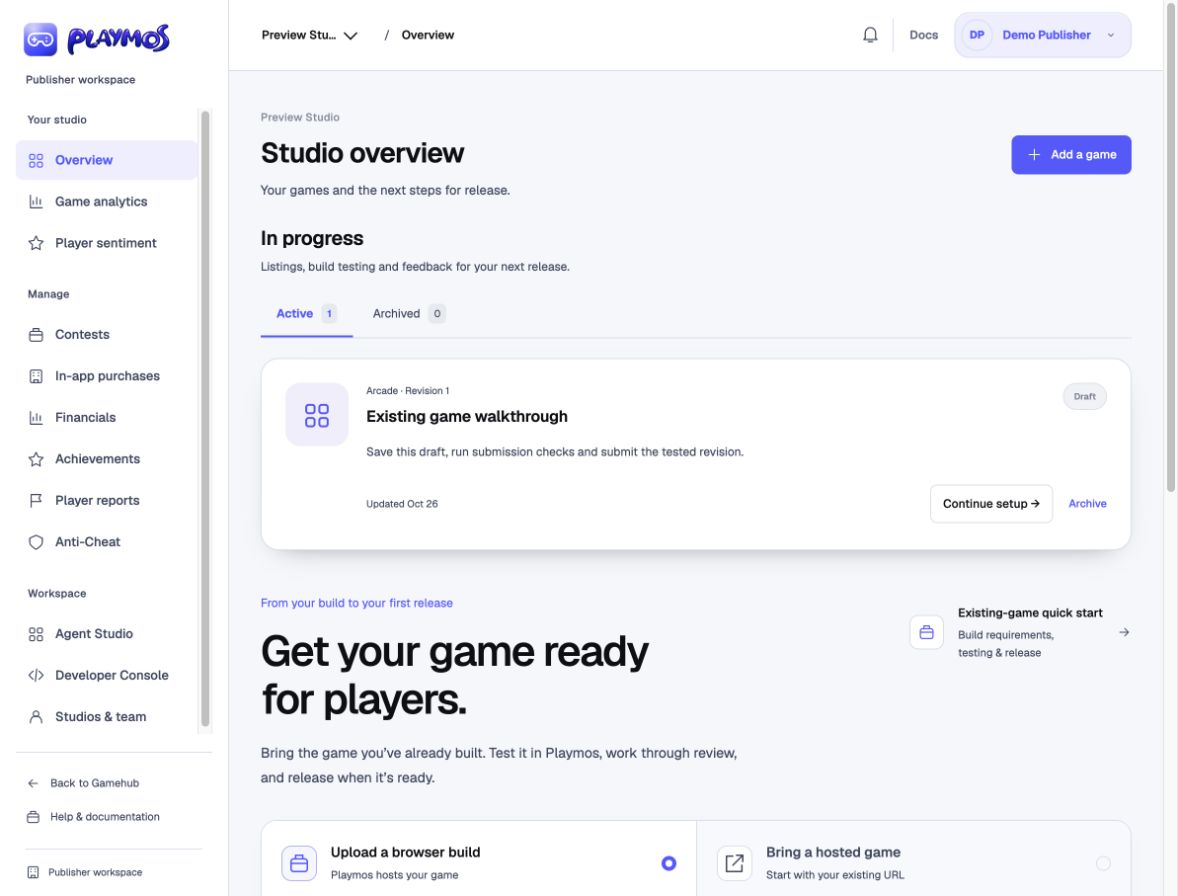
1. Add your game#
Open Publisher overview → Add a game. Enter the listing details and select Save & upload build →. In Upload & test, upload your browser ZIP. Use relative asset paths and leave server code and secrets on your backend.
Already hosting your game? Test your URL instead. Paste the playable page URL, not iframe HTML. The game must permit embedding from the portal’s origin. URL preview does not publish a game; an external runtime needs Playmos configuration and review.
2. Play the uploaded build#
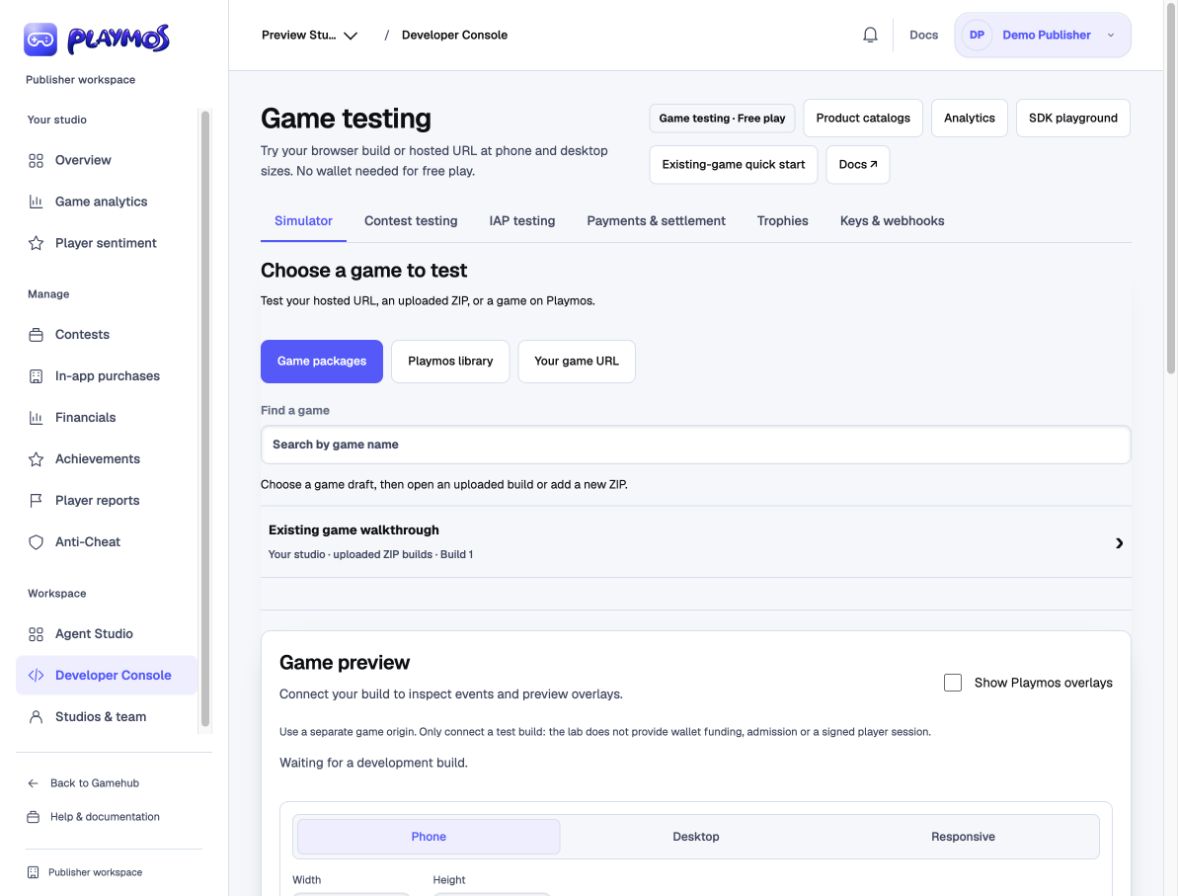
Open the uploaded build’s preview, or Developer tools → Upload ZIP and select your draft and build. Switch between Phone and Desktop. Check loading, controls, audio, a complete run and replay. Test touch and performance on a real phone too.
3. Review, then release#
In your game project, save Edit listing, run submission checks and submit. Follow feedback in Review & release. The listing and the exact uploaded build each need approval.
Once both are approved and hosting is available, an authorized publisher selects Publish free practice. Open the public game link and keep the publication receipt.
Build requirements & troubleshooting → · Add a test USDC purchase →
If it did not work#
A blank iframe usually needs an embeddable URL; a broken ZIP often has a nested index.html or absolute asset paths.
Try one variation Repeat the same run with touch controls. Which parts of the interface need a different phone layout?
Continue with the next guide →